
Your whole business credit picture. On one screen.
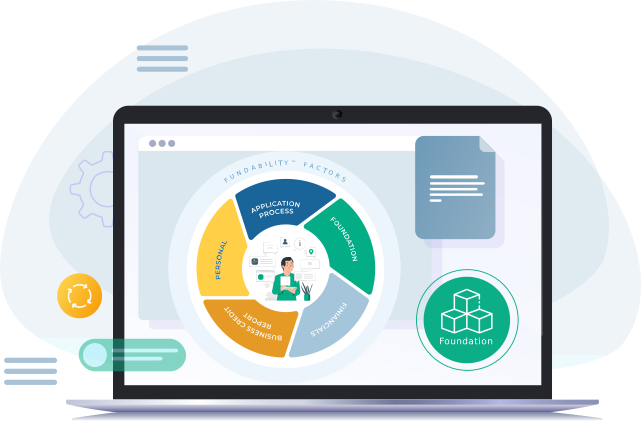
The Fundability® Dashboard pulls every component of your business funding profile into a single view. Your Fundability Score™ sits at the top. Every category that drives it sits below, color-coded. One screen. Everything you need.
See a walk-through of the dashboard on your first call. Free.
- One screen
- 5 categories
- 4-color status
- Everything connected
What the Fundability® Dashboard does for you.
Always know where you stand
Log in. See your Score™, your status, your funding amount. Done.
Color-coded everything
Green, yellow, red, grey. Every category. Every data point.
Total funding at a glance
Total approved funding pulled in from Funding Manager, visible at the top.
Clear next steps
Click any red item. Go directly to the area to fix it.
Most owners manage this across five different tools.
There's no integrated view. Which means there's no way to know where you actually stand. You apply for funding without seeing what's holding you back.
The six things you see when you log in.
- FoundationVerified
- FinancialsDone
- Business Credit ReportsNeeds work
- Personal CreditAttention
- Application ProcessNot entered
The Fundability Score™ Gauge
The 0 to 890 score at the top. Visual representation of where you stand. Updates as you work.
Approved Funding Amount
Total business funding currently approved across your accounts. Pulled from Funding Manager.
Revenue vs Funding Ratio
How much funding you've built compared to business revenue. Helps you see when to add more capacity.
Trade Vendor Distribution
Breakdown of reporting accounts at each of the three bureaus. The goal: at least 3 at each.
Category Status Cards
The 5 categories that drive your Fundability Score™, each with its current status.
4-Color Status System
Green, yellow, red, grey. Same system on every category and every data point.
The hub for the whole platform.
You don't have to bounce between tabs. The dashboard pulls from everything.
Already have business credit? Add it and watch your picture update.
You don't lose existing accounts when you start with Fundability®. Add them directly to the Dashboard and the system reflects them in your reporting account count, total approved funding, and Fundability Score™.
DIY vs the Fundability® Dashboard.
Every Fundability® user.
The Dashboard is the daily working view of the platform. Every user logs in here. From the Dashboard, every other feature opens up.
Common questions.
Works with:
See the dashboard in action.
Get on a 30-minute call with a Fundability® advisor. We'll walk you through the dashboard, show you what a typical setup looks like, and tell you roughly where your business would land if you started today.
30 minutes. Free. No pressure.